Navigate, search, and create records in BayEngine
Use the sidebar for daily work, Search to find an existing record, and Create to start something new. Always confirm the active shop before viewing or creating shop-specific work.
Move around BayEngine
The left sidebar groups the pages used for daily work and shop setup.
| Area | What you will find |
|---|---|
| Tasks, Calendar, Workflow, and Documents | Scheduled work, active repair orders, and shop documents |
| Inbox and Customers | Customer communication, contact information, and vehicles |
| Inventory, Orders, and Vendors | Parts, purchasing, receiving, returns, and vendor records |
| Reports and Automations | Shop results and repeatable follow-up work |
| Configurations | Shop settings, users, customer experience, operations, parts, and financial setup |
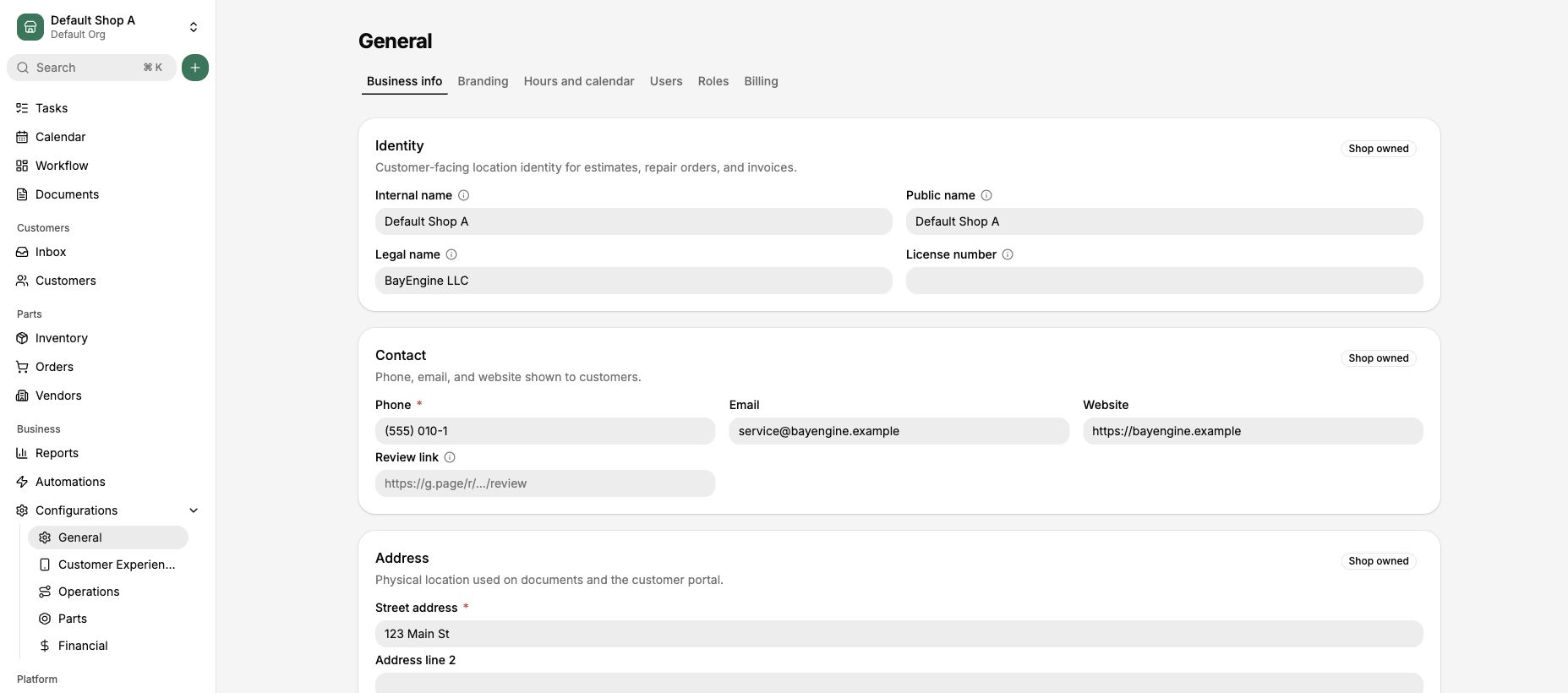
Use the sidebar to open the area where you want to work.
Confirm or change the active shop
- Check the shop name at the upper left.
- Select the shop name to open the switcher.
- Search when the list is long, then select the shop where you want to work.
- Finish or discard any unsaved changes if BayEngine asks before switching.
The active shop controls where new appointments, estimates, repair orders, inventory activity, and other shop-specific records are created.
Search for an existing record
- Select Search near the top of the sidebar. You can also press Command-K on a Mac or Ctrl-K on Windows.
- Enter at least two characters from a name, phone number, plate, VIN, vehicle description, or document number.
- Choose All, Customers, Vehicles, Estimates, or Repair Orders to narrow the results.
- Select the correct result.
Search results depend on the active shop and your permissions. If you cannot find a record, confirm the shop and spelling before creating a duplicate.
Create a record
- Search first when the record might already exist.
- Select Create beside Search.
- Choose the type of record you want to create.
- Complete the form that opens and review the active shop before saving.
Keep the main terms straight
| Term | Meaning |
|---|---|
| Organization | The business group that owns one or more shops |
| Shop | A physical operating location where shop-specific work is created |
| Workflow | The board that shows where active repair orders are in the shop process |
| Workflow stage | The current operational step for a repair order; it is separate from financial status |
| Role | A reusable group of permissions commonly assigned to a type of work |
| Permission | The access that controls what a user can read, create, update, or delete |
Use your user menu
- Clock in or out when your shop uses workday time.
- Open User Settings to manage your account.
- Change the appearance when needed.
- Log out when you finish, especially on a shared computer.